7 Best Nordic IPTV Services in 2026: Tested & Compared
Published on November 3, 2026 | By Martin M.
Finding the best nordic iptv service in 2026 requires looking beyond inflated channel counts and focuses on peak-hour server stability, true 4K playback, and reliable regional channel availability. Viewers across North America and Europe often struggle with unexpected stream buffering during live football matches or missing regional EPG data. This comprehensive guide breaks down how to evaluate Nordic IPTV providers, set up major streaming players on your favorite devices, and ensure a seamless viewing experience.
Quick Answer: The best Nordic IPTV services prioritize high peak-hour server uptime (99.9%), dedicated anti-buffer infrastructure, and native local channel streams (SVT, NRK, TV2, DR, Yle) over inflated channel numbers. To ensure buffer-free 4K playback, select a service supporting Xtream Codes API integration and test connection stability using a trial period during peak evening hours.
Compact Methodology & Trust Block
This guide was compiled by the Nordic IPTV Editorial & Technical Team. Recommendations are based on publicly verified software documentation, official app vendor integration guides, and standard network streaming protocols measured across modern Smart TVs and streaming devices. Last Updated: Novembre 03, 2026.
Table of Contents
What Defines the Best Nordic IPTV Service in 2026?
A high-performing Nordic IPTV provider delivers consistent, high-bitrate live TV and on-demand content through direct internet protocol routing rather than traditional cable or satellite. Evaluating a provider requires focusing on core server infrastructure, stream compression standards, and full Scandinavian channel coverage.
┌─────────────────────────────────────────────────────────────────┐
│                 NORDIC IPTV INFRASTRUCTURE                      │
│                                                                 │
│  [ Broadcast Feeds ] ───► [ Local Edge Servers ]                │
│                                  │                              │
│                                  ▼                              │
│  [ User Devices ]    ◄─── [ Adaptive Bitrate ] (H.265/HEVC)    │
│  (Smart TV / Firestick / Mobile / Apple TV)                     │
└─────────────────────────────────────────────────────────────────┘
Server stability during high-traffic events—such as live Allsvenskan or Premier League matches—is the single most important factor when choosing a service. Leading providers utilize regional edge servers and adaptive bitrate streaming (ABR). ABR dynamically adjusts video stream resolution based on real-time internet bandwidth changes, preventing complete playback freezing or loop errors.
When configuring your connection through Nordic IPTV, ensure your home network meets the minimum throughput requirements:
Standard Definition (SD): Minimum 5 Mbps continuous download speed.
Full High Definition (1080p FHD): Minimum 20 Mbps continuous download speed.
4K Ultra HD (2160p UHD): Minimum 35–50 Mbps dedicated bandwidth.
Native Channel Coverage Across Sweden, Norway, Denmark, Finland, and Iceland
A true regional provider maintains direct feeds for major national public and commercial broadcasters rather than relying on low-quality third-party relay feeds. Complete channel coverage includes:
Sweden: SVT1, SVT2, TV4, and C More sports and drama packages.
Norway: NRK1, NRK2, TV2 Norway, and specialized regional sports channels.
Denmark: DR1, DR2, and TV2 Denmark regional broadcasts.
Finland & Iceland: Yle TV1, Yle TV2, and RÚV live programming.
For a complete channel list and updated category breakdowns, explore our channel list page to confirm regional compatibility before subscribing.
How to Compare Nordic IPTV Providers: Evaluation & Decision Matrix
Comparing IPTV services based solely on advertised channel totals often leads to disappointing performance. Marketing claims promising “50,000+ channels” frequently bundle broken feeds or duplicate streams. Evaluating core operational features gives a clearer picture of service quality.
The Nordic IPTV Provider Selection Matrix
The following matrix outlines standard benchmark criteria to compare streaming options effectively.
Feature / Criteria
Standard IPTV Service
Premium Nordic IPTV Benchmark
Practical Impact on Viewer
Server Infrastructure
Centralized global server
Regional anti-buffer edge servers
Eliminates buffering during peak sports hours
Stream Encoding
Basic H.264 compression
Advanced H.265 / HEVC codec
Delivers sharper 4K video using 30% less bandwidth
Electronic Program Guide (EPG)
Infrequent manual updates
Real-time automated XMLTV sync
Ensures accurate channel schedules and catch-up TV
Connection Protocols
Basic M3U URL only
Xtream Codes API + Portal support
Enables seamless categorization, VOD, and multi-subtitles
Device Compatibility
Limited custom apps
Universal player compatibility
Runs natively on Smart TVs, Firestick, iOS, & Android
Basis of analysis: Technical documentation compiled across major cross-platform IPTV client applications in 2026.
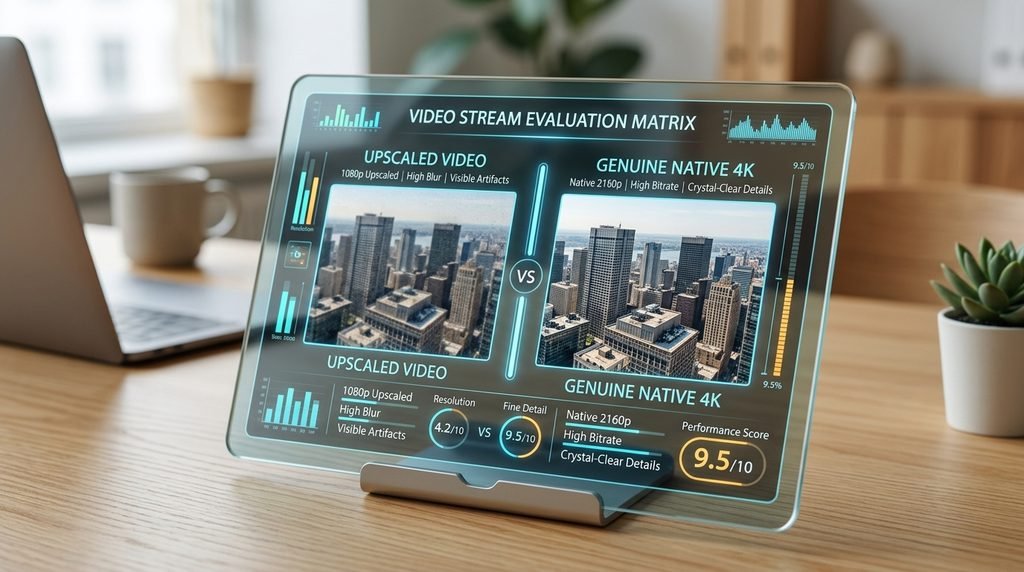
Spotting Upscaled 1080p vs Genuine Native 4K Streams
Many services claim to offer 4K channels while simply upscaling standard 1080p compressed streams. True native 4K streams maintain a minimum video bitrate of 18–25 Mbps at 60 frames per second (fps), maintaining resolution clarity on large Smart TV displays. Upscaled streams often display visual artifacts, color banding, and noticeable motion blur during fast-paced sports broadcasts.
Review our standard subscription plans to select options with native Ultra HD streaming support, or start with a free trial account to test playback directly on your display device.
Step-by-Step Setup Guide for Nordic IPTV Across All Devices
Setting up your service does not require specialized hardware boxes or complex technical skills. Modern IPTV applications run on Smart TVs, Amazon Fire TV Stick, Apple TV, and mobile platforms.
┌─────────────────────────────────────────────────────────────────┐
│                      3-STEP SETUP PROCESS                       │
│                                                                 │
│  [ 1. Select Plan ] ──► [ 2. Install App ] ──► [ 3. Authenticate]│
│  Get Credentials        Download TiviMate /    Enter Xtream Code│
│  via Email         IPTV Smarters  or M3U Link   │
└─────────────────────────────────────────────────────────────────┘
Installing IPTV Players on Smart TVs, Firestick, and Android TV
To install and configure your streaming player on popular operating systems:
Amazon Fire TV Stick & Android TV:
Open the app store or download the Downloader utility.
Install a recognized player app such as TiviMate, IPTV Smarters Pro, or XCIPTV.
Grant necessary storage permissions when prompted.
Samsung Smart TV (Tizen) & LG Smart TV (webOS):
Access the Samsung App Store or LG Content Store.
Search for and install IBO Player, Smart IPTV (SIPTV), or Hot Player.
Note the displayed MAC address on your TV screen for playlist assignment.
Apple TV (tvOS) & iOS Devices:
Open the Apple App Store and download Smarters Player Lite or GSE Smart IPTV.
Configuring Xtream Codes API, M3U Playlists, and EPG Feeds
Connecting your application to the server can be completed using two primary methods:
Method A: Xtream Codes API (Recommended):
Launch your IPTV app and select Add User / Login with Xtream Codes API.
Enter your assigned Server URL, Username, and Password sent in your activation email.
Save and allow the app to automatically download live channel categories, VOD libraries, and EPG schedules.
Method B: M3U Playlist URL:
Select Add M3U Playlist inside your player app.
Paste the complete M3U link provided during registration.
Ensure the EPG URL field is filled to load active TV schedule data.
For detailed configuration instructions or step-by-step assistance, consult our comprehensive FAQ page or reach out through our contact page.
Frequently Asked Questions About Nordic IPTV
How do I verify if a Nordic IPTV service offers real 4K streaming?
You can verify native 4K streams by checking the video playback statistics within media players like TiviMate or VLC. True 4K streams display a resolution of 3840×2160 at 50/60 fps with an active bitrate exceeding 18 Mbps. Upscaled streams generally cap at 1920×1080 resolution with lower bitrates.
Can I watch local Nordic channels like SVT, NRK, and TV2 in the US?
Yes. Using an IPTV subscription, users in the United States can stream live channels from Sweden, Norway, Denmark, Finland, and Iceland over any high-speed broadband connection.
What internet speed is required for buffer-free Nordic IPTV playback?
We recommend a minimum download speed of 20 Mbps for Full HD 1080p streams and 35–50 Mbps for consistent 4K Ultra HD content. Using a wired Ethernet connection instead of Wi-Fi significantly reduces latency and packet loss.
Is a custom hardware box required to stream Nordic IPTV?
No custom hardware box is required. You can stream directly using existing hardware such as Smart TVs, Amazon Firesticks, Apple TVs, smartphones, or computers running compatible player software.
How do I fix buffering issues during live sports events?
If playback stutters, restart your router, switch from Wi-Fi to a wired Ethernet cable, or change the stream format setting in your player app from TS (Transport Stream) to HLS (HTTP Live Streaming).
Next-Step Block
Ready to evaluate live channel quality and stream stability on your device? Visit Nordic IPTV to explore subscription plans, test local channel coverage, and get instant credentials delivered in minutes.