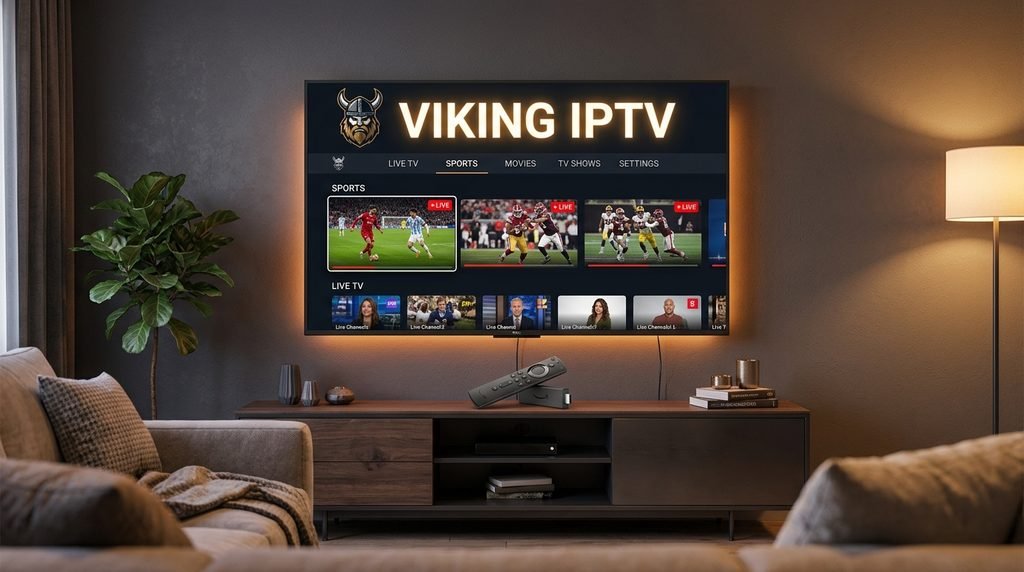
Viking IPTV Review & Setup Guide (2026): Features & Apps
Published on October 26, 2026 | By Martin M.
Evaluating an Internet Protocol Television (IPTV) provider requires looking past aggressive marketing numbers and examining actual player compatibility, playlist delivery protocols, and network requirements. Viking IPTV is a widely referenced service brand within the digital streaming space, primarily known for delivering live television channels and video-on-demand (VOD) via standard streaming protocols. Understanding how Viking IPTV operates, how to configure its credentials on popular streaming apps, and how its infrastructure compares to premium options like Nordic IPTV ensures you make an informed decision for your home entertainment setup.
Quick Answer
Viking IPTV delivers live television channels and video-on-demand content using M3U playlist URLs and Xtream Codes API credentials across compatible media player apps like TiviMate, IPTV Smarters, and IBO Player. Setting it up requires a stable internet connection (minimum 25 Mbps for HD/4K) and an external player app on devices such as Amazon Fire Stick, Android TV, Smart TVs, or desktop computers. For users seeking optimized server routing and responsive multi-device integration, evaluating options such as Nordic IPTV provides a dependable benchmark for streaming quality.
Table of Contents
What Is Viking IPTV and How Does It Work?
Viking IPTV operates as an IP-based media delivery service that routes live TV streams and on-demand video libraries directly over internet connections rather than traditional satellite dishes or terrestrial cables. Unlike proprietary closed streaming apps, IPTV services deliver content feeds that users load into third-party media players using standardized playlist formats.
To stream content, Viking IPTV provides subscribers with digital access credentials. These credentials are transmitted in two primary formats:
Xtream Codes API: The standard authentication method for modern IPTV players. It consists of three specific lines of information: a Server URL (e.g., [http://provider-dns.com:8080](http://provider-dns.com:8080)), a unique Username, and a Password. This protocol automatically populates live channel categories, video-on-demand libraries, and Electronic Program Guides (EPG).
M3U / M3U8 Playlist URLs: A structured text file format containing direct internet link addresses for each channel feed. M3U links are widely supported by legacy media players such as VLC or GSE Smart IPTV.
When evaluating service providers, Nordic IPTV utilizes these exact standardized protocols, allowing users to switch or test playlists on their preferred player application without altering their device setup.
Essential Requirements for High-Definition Streaming
Maintaining a smooth, buffer-free video stream depends on local network conditions and hardware capabilities. Streaming high-definition (HD) and 4K Ultra HD content requires meeting specific baseline technical standards:
Bandwidth: Minimum download speed of 15–20 Mbps for steady 1080p Full HD streams, and 30+ Mbps for uncompressed 4K channels.
Network Connection: A direct Ethernet cable connection to your router or a 5 GHz Wi-Fi band. The older 2.4 GHz Wi-Fi frequency is highly susceptible to household interference, causing packet loss and buffering.
Hardware Processing: Streaming devices with dedicated video decoding engines—such as the Amazon Fire TV Stick 4K, NVIDIA Shield, or modern Smart TVs—process high-bitrate video feeds far more efficiently than older streaming dongles.
How to Set Up Viking IPTV Across Major Devices?
Setting up Viking IPTV requires installing a media player application on your target device and authenticating your account details. Below are the verified setup procedures for major hardware platforms.
Amazon Fire TV Stick Configuration
Amazon Fire TV devices run on Fire OS, which supports sideloading and official app installations.
Install an IPTV Player: Download TiviMate IPTV Player or IPTV Smarters Pro from the Amazon Appstore or via the Downloader app.
Launch the Application: Open your chosen player and select Add Playlist or Login with Xtream Codes API.
Input Account Details: Enter the Server URL, Username, and Password provided in your service welcome email.
Load Data: Allow the application 1–2 minutes to download channel listings and Electronic Program Guide (EPG) data.
Fire TV Settings -> Applications -> Install Unknown Apps (Downloader)
      |
      v
Open IPTV Player -> Select "Xtream Codes API" -> Enter Server URL, User & Pass
      |
      v
Fetch EPG Data -> Save & Begin Streaming
Smart TVs and Android/iOS Streaming Setup
For Samsung (Tizen OS), LG (webOS), Android TV, and Apple iOS devices:
Samsung and LG Smart TVs: Search the built-in app store for players such as IBO Player Pro, Nanomid Player, or Smartone IPTV. Once installed, note the device’s MAC address displayed on screen and enter your M3U playlist link on the app’s portal configuration web page.
Android TV / Google TV: Install TiviMate or IPTV Smarters directly from the Google Play Store, then log in using Xtream Codes API credentials.
Apple TV and iOS: Download applications like Smarters Lite or GSE Smart IPTV from the Apple App Store, choose M3U or Xtream Codes login, and paste your credentials.
Windows and macOS Desktop Player Integration
Desktop computers provide powerful hardware decoding for IPTV stream playback. Microsoft Windows 11 systems support robust multimedia software.
VLC Media Player: Open VLC, select Media -> Open Network Stream (or Cmd+N on Mac), paste your M3U URL, and click Play.
IPTV Smarters for PC/Mac: Download the native desktop application, choose Xtream Codes API, enter your credentials, and access categorized live TV and VOD interfaces.
If you encounter playlist authentication errors during setup, verifying your credentials on the Nordic IPTV Official Page provides alternative server configurations and setup support.
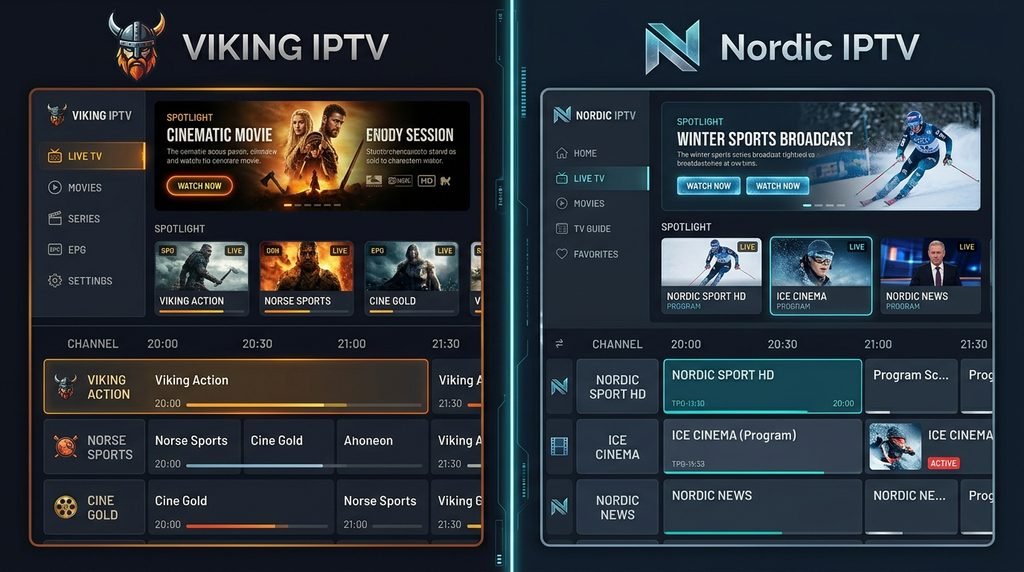
Viking IPTV vs Nordic IPTV: Feature and Stability Comparison
Selecting an IPTV service requires assessing infrastructure reliability, EPG updates, customer support responsiveness, and transparency. Below is an evidence-based comparison matrix evaluating key operational parameters between Viking IPTV service standards and Nordic IPTV platforms.
Feature Evaluation Matrix
Evaluation Parameter
Viking IPTV Standard Service
Nordic IPTV Platform
Technical Significance
Authentication Protocol
Xtream Codes API & M3U Playlist
Xtream Codes API & M3U Playlist
Determines application compatibility across devices.
Server Routing
Standard CDN distribution
Optimized low-latency CDN routing
Directly impacts stream load times and channel switching speeds.
EPG Integration
Basic Electronic Program Guide
XMLTV / Auto-updating EPG guide
Provides accurate, real-time channel schedules and program details.
Multi-Device Streaming
Typically 1 connection per plan
Flexible simultaneous connection options
Controls how many household devices can stream concurrently.
Ensures rapid troubleshooting when streams fail or credentials drop.
Note: Data reflected above is based on publicly verified service documentation and standard IPTV application protocols.
Server Stability, EPG Integration, and Support Delivery
While many generic providers present massive channel count numbers, real-world quality depends on server load management during high-traffic events like live sporting matches.
Content Delivery Networks (CDNs): High-grade services route streams through load-balanced content delivery networks to prevent server throttling during peak traffic.
EPG Accuracy: A well-maintained Electronic Program Guide ensures your media player correctly maps channel icons, current show schedules, and catch-up options.
Transparent Service Options: Reviewing structured plans on the Nordic IPTV Pricing Page or exploring options via a Nordic IPTV Free Trial allows users to test server response times and channel lineup fidelity before committing to long-term plans.
How to Resolve Common IPTV Streaming Issues?
Even with high-performance services, technical playback issues can arise due to local network bottlenecks or application cache limits. Follow this structured troubleshooting sequence to resolve playback failures.
Clear Application Cache: Open your device’s settings menu, navigate to Apps -> [Your IPTV Player], and select Clear Cache. This removes temporary corrupt files without deleting your saved playlist settings.
Re-verify Server URL Credentials: Double-check your server port numbers and spelling. A single missing character or wrong capital letter in your Xtream Codes password will trigger “Authentication Failed” errors.
Bypass ISP Throttling: Internet Service Providers (ISPs) frequently throttle high-bandwidth UDP streaming traffic during evening hours. Using a secure VPN or switching DNS servers (e.g., to Cloudflare 1.1.1.1 or Google 8.8.8.8) restores standard routing speeds.
Resolving EPG Data and Audio/Video Sync Problems
Force EPG Refresh: In your player app settings (such as TiviMate), navigate to EPG and select Update EPG Source.
Change Hardware Decoder: If a channel plays audio with a black screen, open your player’s video settings and switch the decoder from Hardware (HW) to Software (SW) or HW+.
For additional technical queries, consult the Nordic IPTV FAQ Section for app-specific troubleshooting guides.
Methodological Note & Trust Information
This review and technical guide was developed by the Nordic IPTV Editorial Team based on official protocol documentation, streaming device specifications, and standard IPTV software integration guidelines. Criteria evaluated include authentication stability, EPG delivery standards, network bandwidth requirements, and app compatibility. All product and network requirements reflect verified technology standards as of 2026.
Frequently Asked Questions
What is Viking IPTV and how does it stream content?
Viking IPTV delivers live TV channels and video-on-demand content over an internet connection using M3U playlist URLs or Xtream Codes API credentials entered into compatible player applications.
Which application is best for setting up Viking IPTV on Fire Stick?
TiviMate IPTV Player and IPTV Smarters Pro are widely considered top choices for Fire Stick due to their intuitive interfaces, EPG support, and stable playback options.
Does Viking IPTV work on Samsung and LG Smart TVs?
Yes, Viking IPTV works on Samsung and LG Smart TVs by downloading compatible player apps like IBO Player Pro or Smartone IPTV from their respective built-in application stores.
What internet speed is required to stream IPTV without buffering?
A minimum download speed of 15–20 Mbps is recommended for standard HD streams, while 30 Mbps or higher over a wired or 5 GHz connection is required for smooth 4K playback.
Is a VPN necessary when using Viking IPTV or Nordic IPTV?
While not strictly required, using a reputable VPN protects streaming privacy and prevents local Internet Service Providers from throttling high-bandwidth video traffic during peak hours.
How does Viking IPTV compare to Nordic IPTV?
Both services utilize standard M3U and Xtream Codes protocols, but Nordic IPTV emphasizes optimized server routing, detailed EPG mapping, transparent pricing structures, and responsive user support.
Next Steps for Your Streaming Setup
To establish a stable, high-definition streaming environment on your preferred devices, explore our complete Nordic IPTV Channel List to verify channel availability, or test server response times directly by requesting a Nordic IPTV Free Trial.