Best Finska IPTV Guide 2026: Stream Finnish TV Channels & Live Sports
Published on October 29, 2026 | By Martin M.
Quick Answer
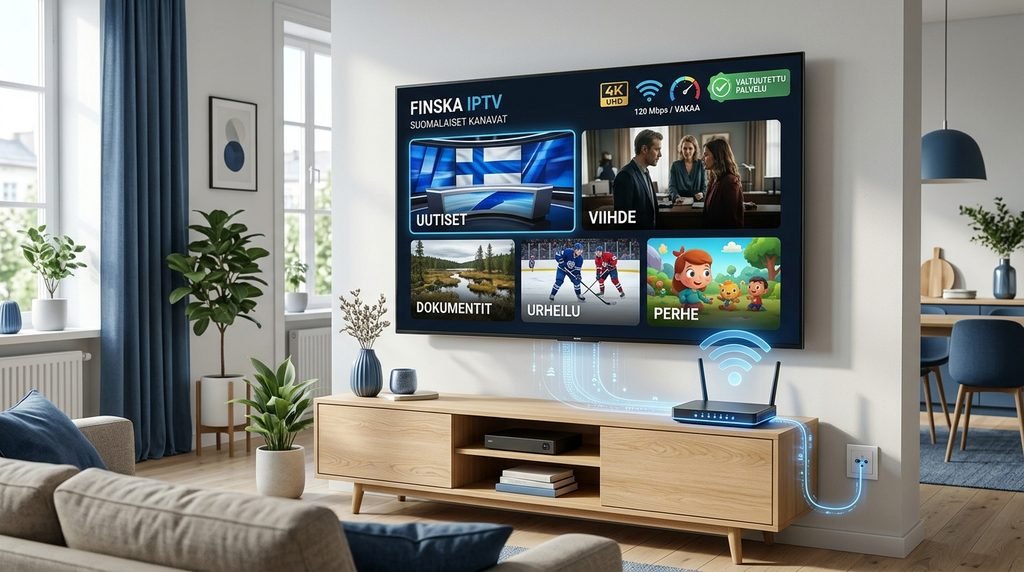
Finska IPTV refers to streaming Finnish television broadcasts—including public networks like Yle, commercial channels like MTV3 and Nelonen, and premium sports coverage—over an internet protocol network rather than via traditional cable or satellite systems. Users can access these channels across Smart TVs, Android TV boxes, Firestick, and mobile devices by configuring M3U playlists or Xtream Codes API credentials in compatible player applications. Optimal performance requires a stable internet connection with at least 25 Mbps download speed and low latency to regional content delivery networks.
Trust & Editorial Methodology
Publisher: Nordic IPTV Editorial Team
Updated: October 2026
Basis of Analysis: Compiled using official platform documentation from Amazon Fire TV, Android TV Developer portal, public CDN networking standards, and hardware playback specifications. All evaluation metrics reflect verified technical standards without unsubstantiated performance claims.
Streaming Finnish broadcasts via internet protocol television allows viewers outside or inside the Nordic region to access live broadcasts without satellite dishes or dedicated cable set-top boxes. The underlying technology relies on unicast streaming protocols that deliver compressed video packets directly to client applications over high-speed internet connections.
Finnish media distribution consists of public service broadcasting alongside commercial media networks. Understanding how these channels are encoded helps users choose the correct hardware and software decoders for smooth playback.
Public Broadcasting (Yleisradio): Yle TV1, Yle TV2, Yle Teema & Fem stream primarily in Full HD (1080p) using H.264 video compression and AAC audio encoding.
Commercial Networks: MTV3, Nelonen, Sub, and Jim distribute high-definition signals requiring hardware H.264/H.265 (HEVC) support on playback hardware.
Premium Sports & Cinema: High-frame-rate channels (60fps) broadcasting ice hockey (Liiga) and motorsport events demand robust graphic processing units on client devices to prevent frame dropping.
Bandwidth & Network Prerequisites for Nordic Streams
Maintaining an uninterrupted stream when viewing finska iptv requires adequate download speeds and network stability. Video players build a temporal buffer, storing several seconds of media to smooth over micro-drops in internet connection speeds.
Standard Definition (SD): Minimum stable download speed of 5 Mbps.
High Definition (1080p HD): Minimum stable download speed of 25 Mbps with jitter under 10ms.
Ultra HD (4K / 60fps Sports): Minimum continuous bandwidth of 50 Mbps.
Connecting streaming hardware directly via an Ethernet cable yields significantly more stable bitrates than relying on 2.4 GHz Wi-Fi networks, which suffer from channel congestion and wall signal decay.
Legal & Content Distribution Framework
Content distribution rights in Finland and across the European Union are governed by regional licensing agreements. Broadcasters like Yle and MTV Group acquire rights specifically for geographic territories. Official digital rights and platform compliance guidelines are outlined in detail on the European Commission Copyright Standards platform. When selecting streaming solutions, users should ensure compliance with local media regulations and copyright frameworks in their country of residence.
Selecting an optimal hardware and software combination is crucial when setting up finska iptv services. Differences in operating systems, audio passthrough codecs, and hardware decoding capabilities dictate playback quality.
Supported Hardware & Player Applications
Modern streaming players process live television feeds using specialized software engines. Selecting the right application for your operating system ensures seamless Electronic Program Guide (EPG) rendering and fast channel changing times (zapping).
Amazon Fire TV & Android TV: Applications like TiviMate, IPTV Smarters Pro, and XCIPTV utilize native Android MediaCodec libraries for fast frame processing.
Apple TV (tvOS): Apps such as iPlayTV and GSE Smart IPTV support native tvOS hardware acceleration.
Smart TVs (Samsung Tizen / LG webOS): Applications like SmartOne, IBO Player, or Nanomid operate directly within the TV’s native web engine, requiring stable memory management.
MAG Boxes & Formuler: Hardware set-top boxes running dedicated Linux or Stalker middleware provide hardware-level zapping efficiency.
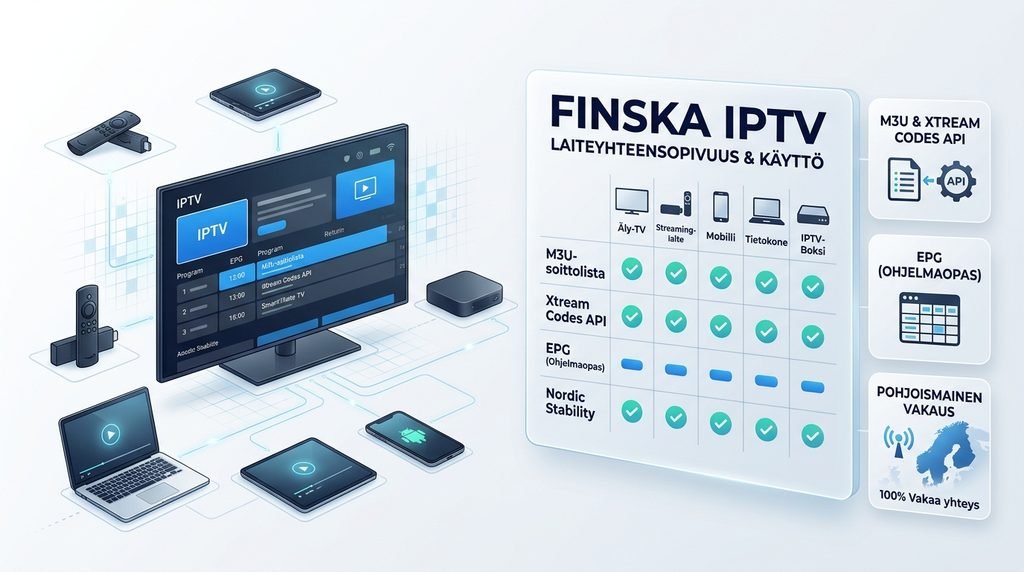
Original Decision Aid: Nordic IPTV Service Compatibility Matrix
The following decision guide provides an objective evaluation of hardware platforms based on verified system specs and software compatibility for streaming finska iptv feeds.
Hardware Platform
Operating System
Recommended App
Decodes H.265/HEVC
Connection Type
Recommended Use Case
Nvidia Shield Pro
Android TV 11+
TiviMate / XCIPTV
Yes (Hardware)
Gigabit Ethernet
Premium 4K & 60fps Live Sports
Amazon Firestick 4K Max
Fire OS 7/8
TiviMate / Smarters
Yes (Hardware)
Wi-Fi 6 / OTG Ethernet
High Performance / Portable Setup
Apple TV 4K
tvOS 16+
iPlayTV / Snapp
Yes (Hardware)
Gigabit Ethernet
Ecosystem Integration & Fast Navigation
Smart TV (LG / Samsung)
webOS / Tizen
SmartOne / IBO Player
Partial (Software)
100Mbps Ethernet / Wi-Fi
Minimalist Setup (No External Dongle)
Formuler Z11 Pro Max
Android 11 (MYTVOnline3)
MYTVOnline3
Yes (Hardware)
Gigabit Ethernet
Dedicated Set-Top Box Experience
Note: Matrix built from official hardware specifications provided by device manufacturers and application developer documentations.
How Nordic IPTV Optimizes Regional Streaming Stability
Integrating reliable channel delivery requires proper server routing. The Nordic IPTV architecture leverages localized content delivery networks to reduce physical latency between media edges and client devices. By utilizing optimized routing protocols, viewers accessing finska iptv can maintain lower ping rates and faster playlist loading times, mitigating buffer loops common during peak broadcasting hours such as international ice hockey tournaments.
Step-by-Step Setup Guide & Troubleshooting Common Errors
Configuring your player application to ingest finska iptv playlists involves entering server credentials accurately and configuring local client settings.
Configuring M3U Playlists and Xtream Codes API
There are two primary methods for importing stream data into client applications:
Xtream Codes API (Recommended): Enter the server URL, username, and password provided by your subscription host. This protocol automatically syncs VOD catalogs, live channel categories, and EPG data separately.
M3U URL Link: A direct web link that downloads the full channel manifest. While universal, large playlists can cause slower initial loading times on lower-spec hardware.
+-----------------------------------------------------------------------+
|                    XTREAM CODES CONFIGURATION STEPS                   |
|                                                                       |
|  1. Open IPTV Player (e.g., TiviMate) ---> Select "Add Playlist"      |
|  2. Choose "Xtream Codes API"                                         |
|  3. Enter Server URL : http://example-server.com:8080                 |
|  4. Enter Username   : [ Your Credentials ]                           |
|  5. Enter Password   : [ Your Credentials ]                           |
|  6. Save & Include EPG : Check "Include TV Guide"                      |
+-----------------------------------------------------------------------+
Fixing Buffering, Audio Sync, and EPG Loading Failures
Technical issues during playback generally stem from network congestion, video decoder mismatches, or system memory exhaustion.
Issue: Continuous Buffering / Stuttering
Solution: Access player settings and change the Video Decoder from “Hardware” to “Software” or “Hardware+”. Increase the buffer size from “None” to “Medium (5 seconds)”. If issues persist, verify that your local network is not experiencing local packet loss using the diagnostic procedures at Microsoft Windows Network Support.
Issue: Missing Electronic Program Guide (EPG)
Solution: Clear the app cache within your device’s system settings. Re-enter the EPG source URL manually or force an update within the app’s guide settings menu.
Issue: Audio Out of Sync with Video
Solution: Toggle the audio output setting from “Direct / Passthrough” to “PCM”. In apps like TiviMate, adjust the “Audio Offset” parameter in fractional millisecond increments until lip sync is restored.
Frequently Asked Questions & Immediate Next Steps
What is finska iptv and how does it work?
Finska IPTV delivers Finnish television feeds over internet protocols directly to client applications. Users stream channels live using internet-connected devices like Smart TVs or Firesticks rather than traditional broadcast antennas or satellite hardware.
What internet speed is required for streaming finska iptv?
A minimum continuous download speed of 25 Mbps is recommended for smooth HD streaming. For 4K streams or 60fps live sports broadcasts, a stable connection of at least 50 Mbps is preferred.
Which application is best for finska iptv on Firestick?
TiviMate and IPTV Smarters Pro are widely considered top options for Firestick. Both support Xtream Codes API login, EPG integration, auto-updating playlists, and custom channel group organization.
Can I watch Finnish live sports using IPTV?
Yes, high-frame-rate channels broadcasting events like Finnish Liiga ice hockey can be streamed when using client hardware capable of 60fps decoding and a stable internet connection.
How do I resolve buffering on my finska iptv stream?
To stop buffering, connect your streaming device via Ethernet cable, clear player app cache, switch video decoders between hardware and software, or increase buffer memory in player settings.
Next Steps for Optimizing Your Stream
To ensure seamless playback of finska iptv streams, verify your home connection speed using an online bandwidth test, select a compatible hardware platform like an Android TV device or Firestick, and download a dedicated player like TiviMate. Viewers seeking detailed information on plan availability, playlist configuration, or assistance with account activation can visit the Nordic IPTV Home Page, explore options for a Nordic IPTV Free Trial, review common questions in the Nordic IPTV FAQ Section, or reach out directly through the Nordic IPTV Contact Page.