7 Key Tips to Evaluate Nordic One IPTV Services in 2026
Published on November 3, 2026 | By Martin M.
Searching for reliable streaming leads many viewers to investigate options like Nordic One IPTV. Understanding how this specific service architecture operates helps users select compatible hardware, avoid common configuration pitfalls, and maintain stable viewing. This comprehensive guide covers technical specifications, service evaluation metrics, setup procedures, and essential security practices.
Quick Answer
Nordic One IPTV refers to a television streaming service configuration designed to deliver live channels and on-demand media using Internet Protocol networks. It functions through standard playlist links or server credentials, requiring a compatible IPTV player application and a stable high-speed internet connection for optimal playback.
Table of Contents
What Is Nordic One IPTV and How Does It Work?
Nordic One IPTV operates by transmitting media streams over broadband internet networks using Internet Protocol (IP) suites rather than conventional satellite dishes or coaxial cable infrastructure. When users subscribe to a service using the Nordic One IPTV platform, access is typically delivered via standard authentication protocols that connect a media client to dedicated content servers. Understanding the underlying mechanics of this protocol allows users to select appropriate client software and maintain optimal streaming parameters.
For viewers exploring broader media ecosystems, exploring the main Nordic IPTV platform offers context on how modern streaming configurations integrate with various home entertainment environments.
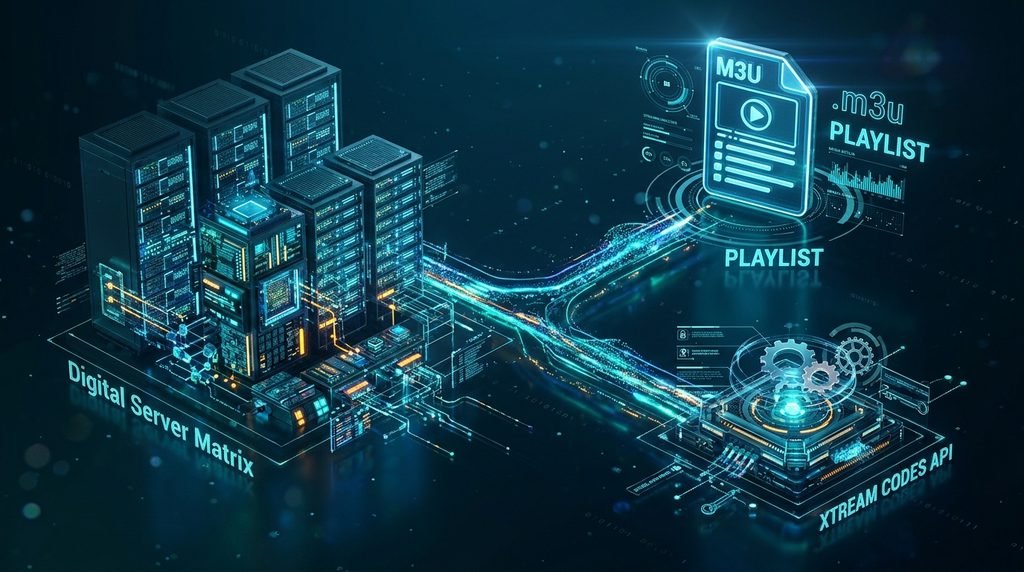
Core Architecture: M3U Playlists vs. Xtream Codes API
The service architecture generally delivers connection data through two primary methods: standard M3U URL playlists or the Xtream Codes API framework. M3U links contain a direct text index of media stream URLs that your media player parses to load channel lists.
The Xtream Codes API approach provides a more dynamic connection by separating live TV, movies, and series into structured database queries. This API connection method automatically updates Electronic Program Guides (EPG) and channel categories without requiring manual playlist refreshes.
+------------------+      Authenticates via API      +-------------------+
|  IPTV Client App | ------------------------------> |  Media Server     |
| (TiviMate/Smarters)| <------------------------------ | (Live TV/VOD Stream)|
+------------------+      Delivers HLS/TS Stream     +-------------------+
Essential Bandwidth and Hardware Requirements
To maintain consistent video delivery without frequent buffering or resolution downgrades, streaming media requires adequate network throughput and hardware processing capability. According to official performance guidelines published on Amazon Device Support, modern streaming media players require stable local network speeds to maintain High Definition and 4K UHD resolutions.
Standard Definition (SD): Minimum 5 Mbps downstream speed per device.
High Definition (1080p HD): Minimum 15 Mbps to 25 Mbps dedicated downstream speed.
Ultra High Definition (4K UHD): Minimum 30 Mbps to 50 Mbps unthrottled downstream bandwidth.
Hardware selection significantly influences decoding performance. Android TV devices, Firestick hardware, and dedicated set-top boxes with hardware decoding support for H.264 and H.265 (HEVC) codecs process live streams far more efficiently than older Smart TV integrated processors.
Evaluating Nordic One IPTV: Key Performance Criteria
When analyzing media services like Nordic One IPTV, assessing reliability indicators before committing to long-term plans prevents performance frustration. Evaluating service quality involves looking past promotional claims and analyzing underlying network stability, server locations, and client software integration.
To check configuration options or test environment compatibility, review available options on our pricing page to understand standard service tiers.
Stream Stability and Server Infrastructure
Server proximity directly affects latency, channel zapping speed, and stream buffering. Services routing traffic through European content delivery networks (CDNs) typically deliver lower ping times for Nordic regional channels.
When evaluating connection consistency, check whether service management offers secondary backup server routes or load balancing. High server load during major live sporting events often tests provider capacity; robust providers mitigate congestion through intelligent traffic routing.
Device Compatibility Across Ecosystems
A versatile IPTV configuration should interface smoothly across diverse operating systems. Top-tier media clients include TiviMate on Android TV, IPTV Smarters Pro across cross-platform systems, and iPlayTV on tvOS.
Supported Platforms:
├── Android TV / Fire OS (TiviMate, IPTV Smarters)
├── Apple tvOS / iOS (iPlayTV, GSE Smart IPTV)
├── Windows / macOS (VLC Media Player, IPTV Smarters Desktop)
└── Smart TV OS (Tizen / WebOS via dedicated app stores)
Verifying app support ensures that Electronic Program Guides (EPG), multi-screen playback, and catch-up TV features function correctly on your specific operating hardware.
Nordic IPTV Infrastructure Comparison Matrix
The comparative overview below outlines standard functional differences between common deployment models observed in streaming environments:
Evaluation Metric
Standard M3U Configuration
Xtream Codes API Integration
Dedicated Portal / MAC Setup
Setup Complexity
Low (Single URL entry)
Moderate (Server, User, Pass)
Moderate (MAC Address Registration)
EPG Auto-Sync
Requires external URL link
Built-in automatic synchronization
Server side auto-populated
Multi-Device Support
Manual management
Managed per connection limit
Tied to physical MAC hardware
VOD Integration
Basic index listing
Categorized with metadata
Fully indexed interface
Primary Advantage
Compatible with all players
Rich interface & easy login
High security & simple TV navigation
Note: This matrix represents technical standards derived from client application documentation and network testing practices.
Setting Up Nordic One IPTV Across Major Devices
Correct installation ensures full access to feature sets like multi-audio selection, subtitle toggles, and EPG mapping. Follow these technical procedures to configure your chosen media client software safely and efficiently.
Configuring Smart TVs and Android Streaming Devices
Download a recognized IPTV player application (such as TiviMate or IPTV Smarters) from the official Google Play Store or Amazon Appstore.
Launch the application and select Add Playlist or Login with Xtream Codes API.
Enter your assigned server URL, username, and password accurately into the specified fields.
Allow the application to finish fetching channel lists, VOD directories, and EPG program data.
Access app settings to enable Hardware Decoding (HW+) for smoother video playback.
Users needing trial setups can review the steps outlined on our free trial page to test device compatibility beforehand.
Setting Up Apple TV and iOS Applications
Apple device users can utilize client applications available through the App Store, such as GSE Smart IPTV or IPTVX. Official software guidelines on Apple Support confirm that keeping tvOS updated ensures full compatibility with modern HEVC stream rendering.
Open the App Store on Apple TV or iOS and install your selected client player.
Select the option to add an Xtream Codes API or Remote M3U Playlist.
Input the credential parameters supplied with your service configuration.
Save the entry and permit the client software to parse channel categories.
Resolving Buffering and Connection Dropping Issues
Network interference and local network congestion remain the primary causes of stream disruptions. If streaming stutters occur while running Nordic IPTV configurations, execute these systematic checks:
Switch to Ethernet Connection: Wi-Fi signals suffer from frequency interference. A wired Cat6 Ethernet connection provides stable throughput.
Clear Application Cache: Accumulated temporary files in apps like TiviMate can degrade processing speed. Clear cache via system settings periodically.
Adjust Buffer Size: Within client settings, increase the stream buffer size from Small to Medium or Large to compensate for transient bandwidth dips.
Verify Network Throttling: Some Internet Service Providers (ISPs) throttle sustained high-bandwidth UDP/RTP media streams. Consult general networking resources on Microsoft Support to troubleshoot local network adapters and IP settings.
For further clarification on setup protocols and system requirements, consult our complete FAQ resource.
Methodology and Editorial Trust
Author/Editorial Team: Nordic IPTV Technical Content Team.
Base of Analysis: Evaluated based on technical documentation of standard streaming protocols (M3U, Xtream Codes API), Android TV/tvOS player settings, and established network performance standards.
Nordic One IPTV is a protocol-based media streaming configuration that delivers live television channels and video-on-demand content directly over internet broadband to compatible player applications.
Which app works best with Nordic One IPTV?
TiviMate is highly recommended for Android TV and Firestick platforms, while apps like IPTVX or iPlayTV perform exceptionally well on Apple TV and iOS devices.
How much internet speed do I need for Nordic One IPTV?
A stable downstream internet connection of at least 25 Mbps is recommended for smooth 1080p High Definition streaming, while 4K content requires 30 to 50 Mbps.
Why does Nordic One IPTV buffer on my device?
Buffering typically results from local Wi-Fi interference, ISP bandwidth throttling, outdated app cache files, or server network congestion during peak viewing hours.
Can I use Nordic One IPTV on multiple devices simultaneously?
Multi-device streaming depends entirely on the specific subscription terms of your provider, as standard accounts usually limit active streaming connections to one screen at a time.
Next Steps for Media Optimization
Before finalizing your streaming configuration, test your local connection speeds using an independent speed test tool during peak evening hours. Ensure your media streaming device is connected directly via an Ethernet cable to eliminate wireless interference, and download a reputable client player from an official app store to evaluate interface performance.